Return of Results
Your starting point for delivering participant-level results.
Return of results is the practice of sharing individual study findings with participants who contributed data. Use the Return of Results feature to select a participant and visit, preview available reports, and email or print results for the family.
Access Return of Results#
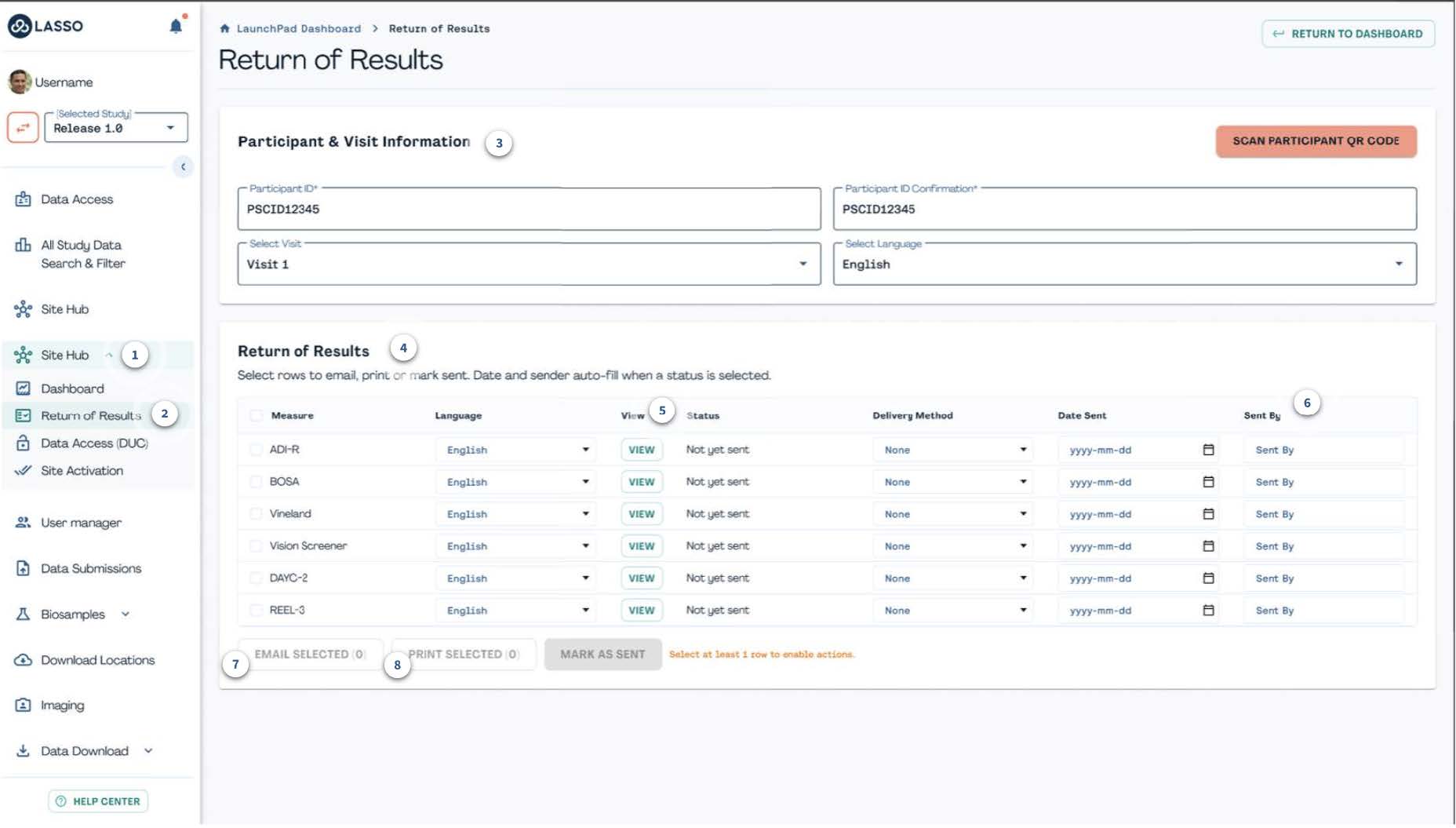
To access, first navigate to ① Site Hub in the left-hand navigation menu and then select ② Return of Results. Note that access is limited to clinicians and designated family-facing staff. If you don't see it and believe you should, check with your site PI or the DCC Help Center.
Select Participant#
Under the ③ Participant & Visit Information section, enter and confirm the participant ID (or scan their QR code), then choose the visit and language you want the results to be generated in.

Review Available Reports#
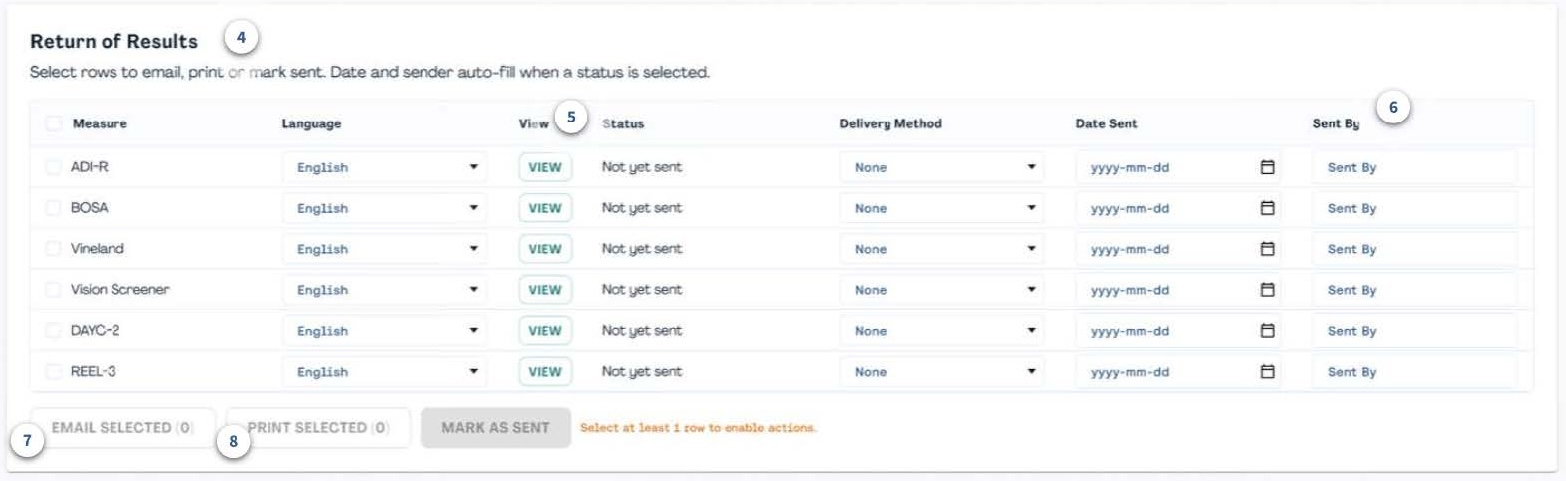
Once the participant and visit details are entered, the ④ Return of Results table will list all instruments with results ready for that participant and visit, including send status and history, preferred language, and other report details. Select ⑤ View to preview the family-friendly report and review the information for accuracy.
Send or Print Results#
Click the checkbox to the left of each instrument name to select one or more instruments to share and complete the following fields:
- ⑥ Sent By: Enter or select your name.
- ⑦ Email Selected: Select recipient emails to send reports electronically through EnrollNow.
- ⑧ Print Selected: Choose this option to generate a packet for in-clinic review with the family.
Status & Resending#
Every instrument on the Return of Results screen carries a status of either Not Sent Yet (the report is available, but has not been recorded as sent) or Sent (the report has been recorded as sent at least once).
Results can be resent for any reason, for example if the family needs another copy or for the report to be provided in a different language. Before resending, confirm the participant, visit, report language, and recipient details. Lasso records who sent each report and when for audits/traceability.